


Configuration

Configuration Menu Overview
Our SETUP MENU allows you to easily customize and modify various parameters, adapting the system to your specific operational needs.
Whether you’re setting up for the first time or making changes during regular use, this menu offers a user-friendly interface that simplifies the process.
You can adjust these settings at any time, with the option to revert to default values if needed.
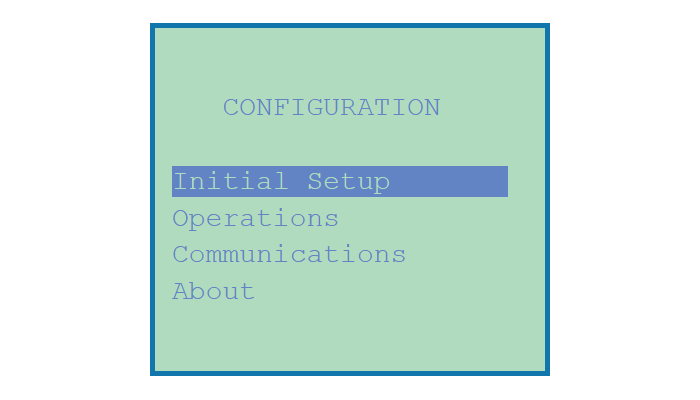
Key Features of the Setup Menu
Initial Setup:
- Select your Language (English, French, or Spanish)
- Choose your Unit System (US or Metric)
- Configure Code Numbers/Passwords
- Set Date and Time
- Adjust Reading Averaging Rate
- Choose Data Logging Rate
Operational Settings:
- Enable or disable Audible Alarms
- Manage Bypass Line settings
- Set Saturation Index
- Control Report Printing preferences
- Perform Reset (Complete or selective)
- Monitor Battery Voltage
- Enable Dynamic Probe Failure Monitoring
Communications Setup:
- Configure Unit Identification
- Adjust 4-20 mA Output Signals
- Calibrate 4-20 mA Output
- Set up Alarm Callout
- Manage Network Setup
- Set up Wi-Fi Connectivity
This intuitive configuration process ensures that you can fine-tune your system quickly, improving the overall efficiency and performance of your operations. Whether you’re setting initial parameters or modifying them later, this flexibility makes it easy to adapt the system to your needs, all while ensuring smooth communication and reliable performance.